Quick answer: Recording Overwatch scrim logs takes three steps: enable the Workshop Inspector Log File setting in Overwatch, host your custom game with the ScrimTime workshop code DKEEH, and collect the Log_*.txt files from Documents\Overwatch\Workshop after the scrim. Each finished map writes one stats file covering both teams.
Tier-3 and collegiate Overwatch teams review VODs, but numbers settle arguments faster. The full loop - organize the week, find an opponent, play, then track results - only closes when the playing part leaves data behind. This guide covers the recording half; the stats half takes one upload.
Step 1: Enable the Workshop Inspector Log File setting
In Overwatch, open Options, go to the Gameplay tab and its General sub-tab, and find the Custom Games - Workshop group near the bottom. Turn on both Enable Workshop Inspector and Enable Workshop Inspector Log File. They are off by default, and without them custom games write nothing to disk at all.
The setting is per client: only players who have it enabled save files, and only for maps they were present in. In practice that means your usual lobby host should enable it, and having a second player switch it on costs nothing and covers the night the host is missing.
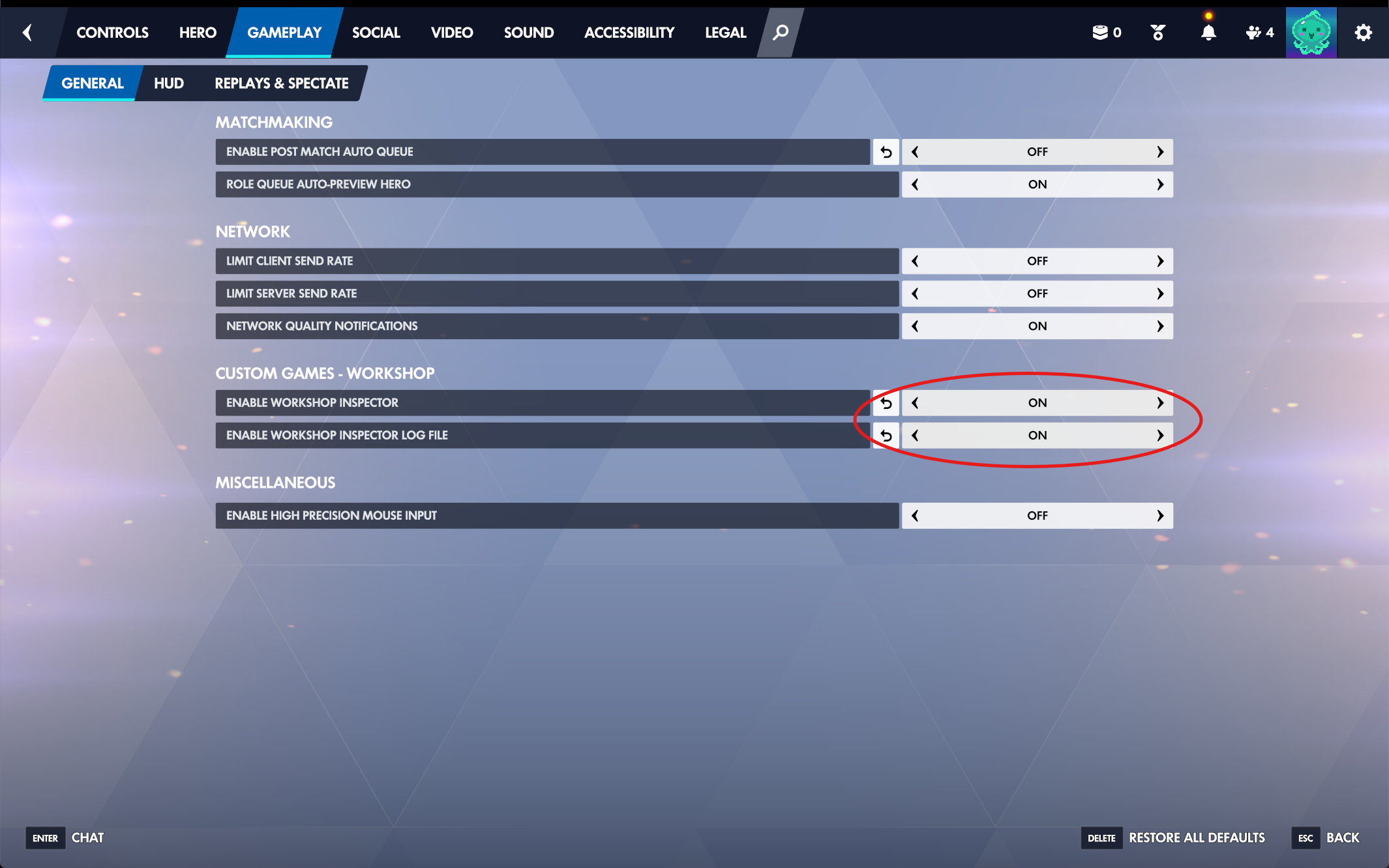
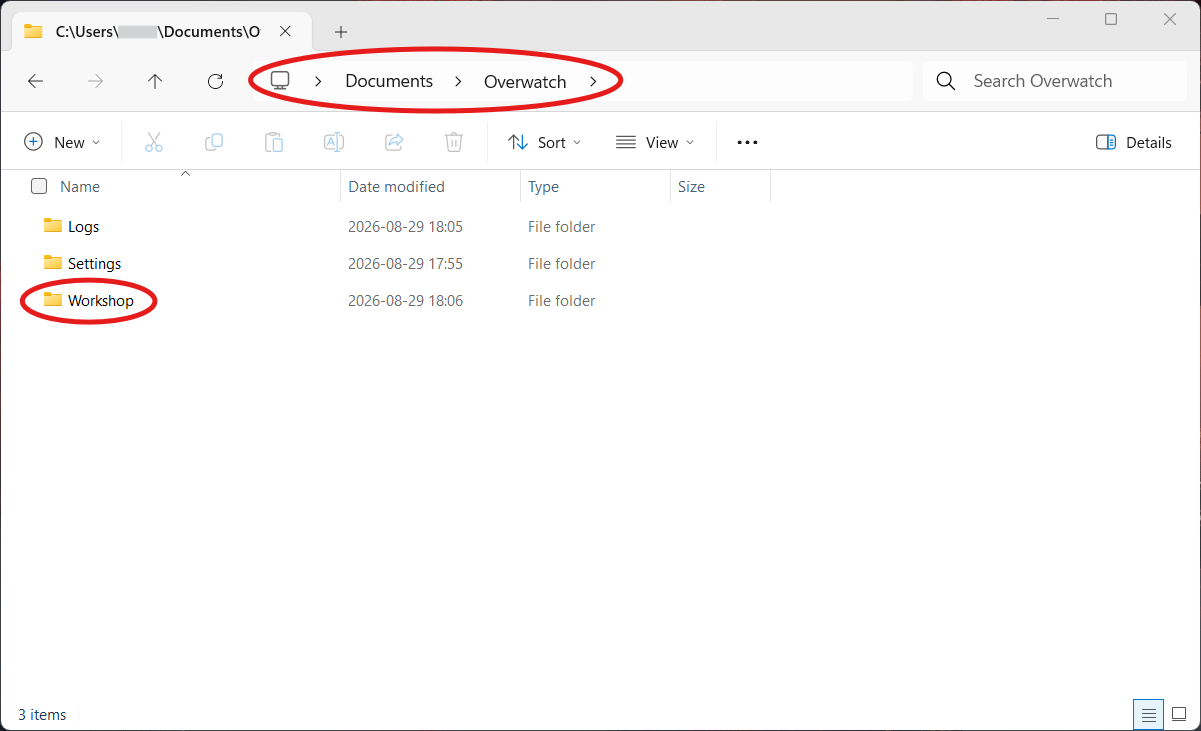
Dry-run tip: before your first real scrim, load the ScrimTime lobby solo for a minute, end the match, and check that a Log_*.txt appeared in the Workshop folder. Two minutes now saves a recorded-nothing scrim night later.
Step 2: Host the lobby with workshop code M3FFX
Create your custom game and import the SupaScrim workshop code M3FFX. SupaScrim is our own mod - a fork of ScrimTime by Caldoran (code DKEEH), in the same log format, that also records Juno and Wuyang healing and scores Push maps. Either code works here. That is the whole setup. SupaScrim arrives with the recording settings already correct - log generator on, output format CSV, and the objective progress steps at 5 percent for control points and 1 percent for the payload - so there is no settings screen to go and edit. With the older ScrimTime code you had to find Workshop Settings in the lobby and set all four by hand, every time somebody rebuilt the lobby from their own preset.
Only the host needs the mod - one log covers both teams. The recording player has to stay in the lobby for the whole map, and every finished map produces exactly one file. Renaming the teams in the lobby is safe: the log carries the names you set, which makes the files self-describing when you upload them later.
If no file appears: the one setting SupaScrim cannot set for you is the client-side one from Step 1, and it is per player - so check it on the machine that was supposed to be recording. If the lobby was rebuilt from somebody's own saved preset rather than imported fresh from M3FFX, re-import the code.
Step 3: Collect the Log_*.txt files after the scrim
The files land in Documents\Overwatch\Workshop on the recording player's PC, one per map, named Log_ plus a timestamp. They are plain CSV-formatted text - easy to share over Discord. Note the folder: Documents\Overwatch also contains a Logs folder sitting right beside Workshop, and the scrim logs are not in it.
Discard partials before uploading anywhere: files under roughly 1KB come from lobby resets and aborted maps and carry no usable round data. A three-to-four-map scrim night should leave you with three to four healthy files.
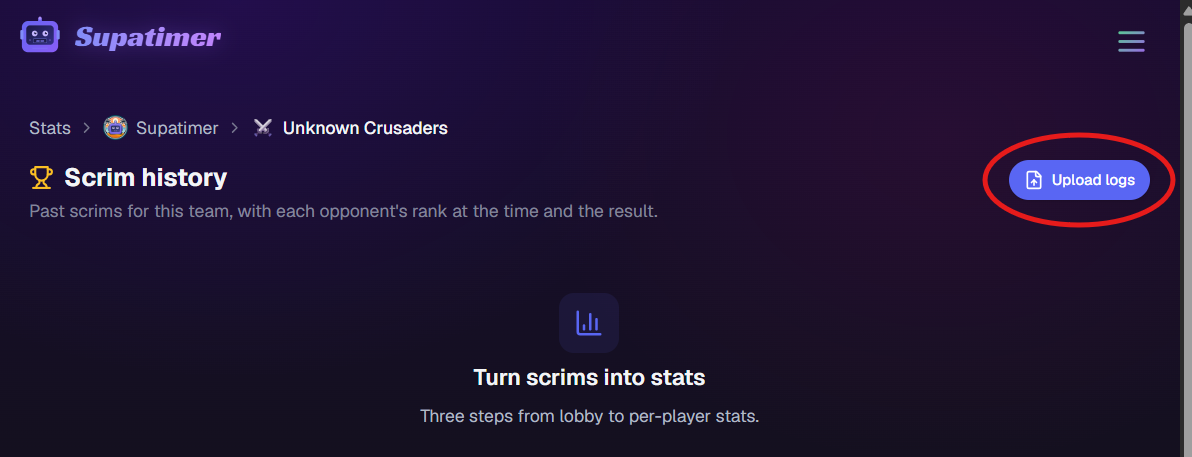
With Supatimer: open your team's Stats page, click Upload logs, and drop the night's files. Duplicates and cut-short logs are flagged automatically, so a messy Workshop folder is fine - the uploader sorts it out.
Step 4: Turn the logs into per-player stats
A ScrimTime log holds per-player, per-hero, per-round numbers: eliminations, final blows, deaths, damage dealt and blocked, healing, assists, and ultimates earned and used, plus map scores and objective progress.
Reading raw CSV after every scrim does not survive contact with a Tuesday night. A parser turns the files into scores and tables once, automatically, and keeps the history - which is what makes the recording habit stick.
With Supatimer: every upload becomes a scrim result attached to your weekly schedule - map scores, evening totals, and per-player tables for both sides. Players who link Battle.net match automatically; the rest you assign once and the team remembers. Raw files are kept 60 days, parsed stats stay forever, and all of it is free.
The host's client is the recorder - treat it that way
Everything in this pipeline depends on one machine: the setting is per client, the file writes to the host's disk, and a host who leaves mid-map loses that map's log. Most missing scrim data traces back to this single point of failure, not to the mod.
Practical implication: make the log-file setting part of team onboarding, keep a second player with it enabled as backup, and do the solo dry run once per new recorder. After that the whole system is zero effort per scrim - host with M3FFX, play, drag files onto the stats page.