
If you run a competitive gaming team, you know the pain: getting 5-7 people online at the same time, playing the right roles, with enough notice to prepare. Most teams try to solve this with group messages, Google Sheets, or When2Meet links. Most teams also have half their roster not showing up because they did not see the message or forgot the link.
This guide covers how to organize scrims efficiently using Supatimer - the best free tool for competitive team scheduling on Discord. Whether you play Overwatch, Valorant, CS2, League of Legends, or any other team game, the process is the same.
Step 1: Collect availability weekly
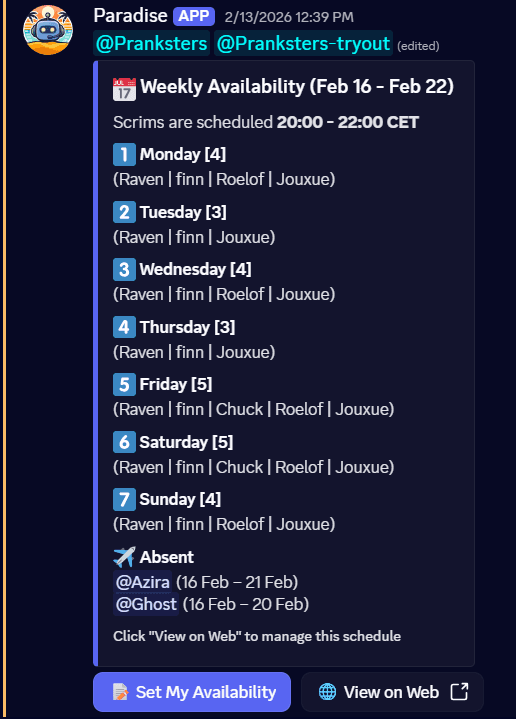
Use a shared weekly calendar instead of group chat polls so every player can mark their schedule on their own time.
The biggest mistake teams make is scheduling scrims without knowing who can play. Do not ask "who can play Thursday?" in group chat. Instead, collect availability for the entire week at once.
Step 2: Check role coverage
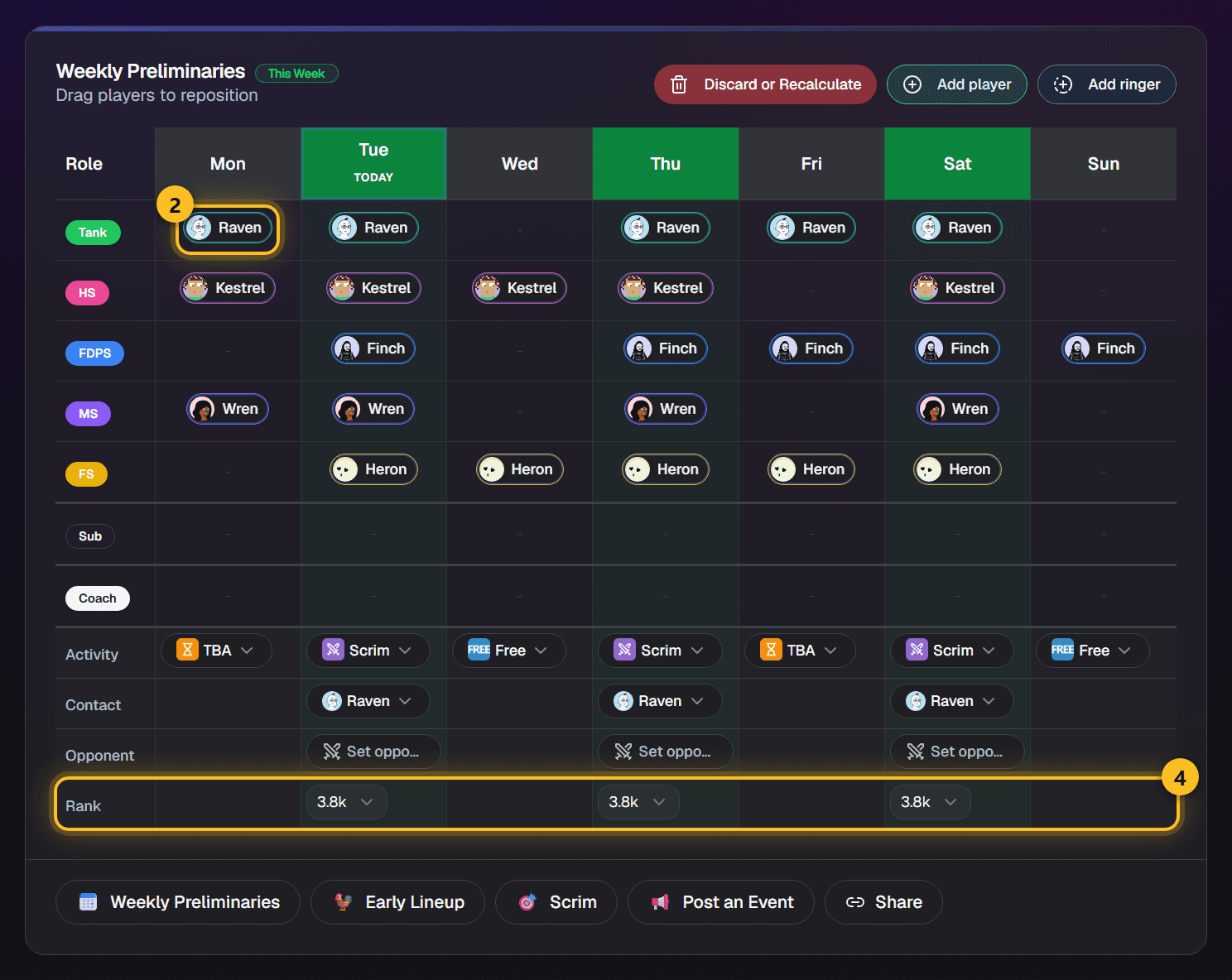
Verify that available players cover every required role before locking in a practice day, not after.
Having 6 people available means nothing if they are all DPS players. You need the right roles covered. Manually checking this every week is tedious and error-prone.
Step 3: Generate and confirm the lineup
Lock in your roster quickly and announce the scrim in Discord so players have time to prepare and fewer people drop out.
Once you know who can play and what roles are covered, lock in the lineup and let your team know. The faster you confirm, the fewer last-minute dropouts you get.
Step 4: Track results
Log scores and notes after every scrim to build a match history your team can review for improvement.
After the scrim, record what happened. Over time this builds a history that helps your team improve and see patterns.
The key insight
Friction kills participation. The best scheduling system is the one your team will actually use every week.
The reason most teams struggle with scrims is not a lack of motivation - it is friction. Every extra step (visit a website, fill out a form, check a spreadsheet, respond to a DM) reduces the chance a player will actually do it. The best system is the one with the least friction.
Supatimer puts everything inside Discord because that is where your team already is. Players tap buttons on messages they already see. Managers run slash commands in channels they already use. No context switching, no extra tools, no friction. That is why it works. Supatimer also helps you find opponents inside your own server: teams there show up as suggestions when you type an opponent's name, with their rank and contact details filled in for you. Discovery is reciprocal, and any team can switch itself off. A team in another server can be found by its exact Supatimer id and asked when you are both free. The scrim finder lists teams on Supatimer, in any Discord server, that you can book a scrim against this week. It is on the “Find a time” card of your team's calendar.